

With 132 million daily active users flooding the platform in Q1 2026, Roblox has never been bigger — and neither has the scam ecosystem lurking around every "free codes" search result. Knowing how to redeem Roblox codes safely is no longer optional. It is the difference between scoring a free cosmetic item and handing a stranger the keys to your account. This guide walks you through every legitimate redemption method across all three code types — platform promo codes, in-game codes, and gift card codes — and gives you a sharp eye for every fake-code red flag currently circulating in 2026.
⚡ Quick Answer
Redeem Roblox promo codes and gift cards only at roblox.com/redeem while logged in. For in-game codes, find the code button inside the specific game. Never use third-party "code generator" sites — Roblox has no API that allows them to deposit Robux into accounts. They are all scams.
What Kind of Roblox Code Do You Actually Have?
Before you redeem anything, you need to know which type of code you are dealing with. This is where most players go wrong — and where scammers profit. There are exactly three legitimate categories:
| Code Type | What It Unlocks | Where to Redeem |
|---|---|---|
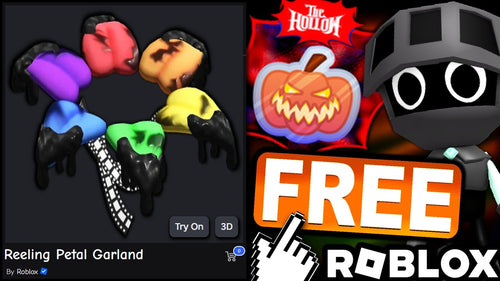
| Platform Promo Code | Free avatar items or accessories | roblox.com/redeem |
| In-Game Code | Coins, XP boosts, pets, rerolls — within one specific game | Inside the game itself (Twitter/code button) |
| Gift Card Code | Robux balance or Premium credit | roblox.com/redeem |
⚠️ Important: Trying to enter an in-game code on roblox.com — or a promo code inside a specific game — will always fail. The error message looks like a broken code, but the code itself is fine. You are just in the wrong place.
You might also like

How to Redeem Roblox Promo Codes and Gift Cards
Both platform promo codes and gift cards go through the same official page. Here is the full process, exactly as Roblox's own support documentation describes it:
- Log in first: Go to roblox.com and sign into the account where you want the reward. Codes cannot be transferred after redemption, so double-check you are on the right account before proceeding.
- Navigate to the official page: Go directly to roblox.com/redeem. Bookmark this URL. Any other website with a redemption box is a third-party site — not Roblox.
- Enter the code exactly: Type or paste the code into the field. Roblox codes are almost always case-sensitive. Mobile autocorrect is one of the most common culprits for failed redemptions — disable it or paste from a notes app instead of typing.
- Hit Redeem: A success message confirms the reward has been added. Check your avatar inventory if it is an item, or your Robux balance if it is a gift card.
- For physical gift cards: Scratch the silver panel gently — too hard and you can damage the code. Photograph it before redeeming as a backup.

How to Redeem In-Game Codes (Game by Game)
In-game codes are entered inside specific Roblox experiences, not on the main website. Every developer hides this button differently — here is how to find it across the most common layouts:
On PC (Desktop App or Browser)
Launch the game. Look for a Twitter bird icon or a gift box icon on the left side of the screen — most popular games like Blox Fruits, Anime Expeditions, and Pet Simulator put their code button there. Others bury it in the Settings or Menu tab. Click it, type the code, and hit Submit. If a game has no code button at all, it has no code system — do not trust external sites claiming otherwise.
You might also like
On Mobile (iOS / Android)
The same icons appear on mobile, though sometimes smaller and tucked to the corners. Paste codes from your clipboard rather than typing them to avoid autocorrect errors — this alone solves the majority of "code not working" complaints from mobile players.
On Xbox or PlayStation
Navigate into the game, open the in-game menu with your controller, and look for a Codes or Redeem option. Console inputs are the slowest for code entry — if a code is expiring soon, redeem it on PC or mobile first.
💡 Pro Tip: Developer Discord servers and official Twitter/X accounts are the fastest source of fresh in-game codes. Set up notifications for the games you play most — codes from milestone announcements can expire within hours of dropping.
How to Spot a Fake Roblox Code (Every Red Flag, Ranked)
The fake code ecosystem in 2026 has upgraded. AI-generated YouTube videos now produce convincing "proof" of Robux generators working — fake wallet screenshots, fake confirmation screens, the works. Here is every red flag, from obvious to sneaky:
🚨 Red Flag #1 — The "Free Robux Generator"
Any website or video claiming to generate Robux through a code is a scam, without exception. Roblox has no API that lets third parties deposit Robux into accounts. The mechanism simply does not exist. Sites that claim otherwise are collecting your credentials, making ad money off your survey completion, or installing malware through required app downloads.
📊 Key Stat: Roblox has over 88 million daily users under 16, making it one of the highest-volume targets for credential-harvesting scams globally. The scam infrastructure has responded accordingly — running as organized, high-volume operations rather than lone bad actors.
🚨 Red Flag #2 — The Fake In-Game Popup
Scammers in 2026 have shifted heavily toward games they publish themselves — experiences designed specifically to harvest logins through fake UI. If a popup inside the 3D game world asks for your Roblox password, or tells you to visit an external link to claim a reward, it is a scam. Roblox's actual system messages originate from its own UI layer, not from inside the game world itself. That rule has no exceptions.
"If the prompt is inside the 3D world, it cannot be a real Roblox system message. Full stop."
🚨 Red Flag #3 — The Typosquat Login Page
Phishing links sent through Roblox chat or Discord lead to pages that look pixel-perfect like roblox.com — but check the URL. Legitimate Roblox URLs always start with https://www.roblox.com. Watch for variations like r0blox.com, roblox-login.net, or anything with a hyphen or swapped letter. In 2026, sophisticated versions test your submitted password against the real Roblox API in real time, confirming the correct one before showing an error — so you try your actual password a second time, handing it over twice.
🚨 Red Flag #4 — Artificial Urgency
Scam codes and fake offers consistently use urgency as a lever: "Only 50 left!", "Expires in 10 minutes!", "First 100 to comment get Robux!" Real Roblox promotions have expiry dates, not countdown timers manufactured to make you move before you think.
🚨 Red Flag #5 — Codes That "Need Verification"
Any code that requires you to complete a survey, download an app, or "verify your account" on a third-party site before it works is not a real Roblox code. Legitimate codes redeem in one step on roblox.com — no verification required beyond being logged in.
The Day My Younger Cousin Almost Got Got
I am not the target demographic for Roblox — I will be honest, I am more likely to be watching obscure 1980s OVAs than building obstacle courses in a blocky sandbox. But my younger cousin plays it every day after school, and a few months back he messaged me a YouTube link. "Is this real? It says I can get 10,000 free Robux." The video had 200,000 views, a convincing fake wallet UI, and comments that were clearly seeded. It was a generator scam. I walked him through exactly why it could not work — Roblox has no external API for Robux deposits, the "proof" videos are AI-generated — and then showed him how to find real codes through the game's official Discord instead. He scored a legitimate XP boost code that afternoon. The ten minutes it takes to understand how the real system works is the best investment any Roblox player can make.
Why Is My Roblox Code Not Working? (And How to Fix It)
Real codes fail for four main reasons. Work through them in this order before assuming the code is fake:
- Expired: Most Roblox codes are time-limited. Platform promo codes tied to events can go from active to expired within weeks. Check when the code was published — if a gaming site posted it more than a month ago and it has no confirmed "still active" update, it has likely expired.
- Typo or case error: Codes are case-sensitive. "SPIDERCOLA" and "spidercola" are different strings. Copy-paste directly from the source whenever possible. On mobile, check that autocorrect has not replaced a number with a letter.
- Already redeemed on this account: Most platform promo codes are one-per-account. If you or someone who shares your account redeemed it already, it will show an error on the second attempt.
- Wrong redemption location: Revisit the table at the top of this article. An in-game code entered on roblox.com will always fail, and vice versa.
Where to Find Real Roblox Codes (Safe Sources Only)
The safest code sources are official channels. If a code did not originate from one of these, treat it with suspicion:
- Roblox's own social accounts — The official @Roblox Twitter/X and YouTube channel announce platform-wide promotions first.
- The game's official Discord server — For in-game codes, this is the fastest and most reliable source. Developers post codes here before anywhere else, and members in the server can confirm whether a code is still active.
- The game's official Twitter/X account — Most active games with code systems announce codes alongside update news.
- Reputable gaming news sites — Outlets like GamesRadar maintain actively-updated Roblox code lists with timestamps. Look for lists that clearly mark expired codes separately from active ones.
- Roblox gift cards from physical retailers — Walmart, Target, GameStop, and similar stores. The code is on the back under a scratch panel.
💡 Pro Tip: Enable two-factor authentication on your Roblox account right now, separate from this code hunt. It is the single most effective protection against a compromised account — a scammer who gets your password still cannot log in without the second factor. Set it up under Account Settings → Security.
Frequently Asked Questions
Can you get free Robux from promo codes?
No. Roblox promo codes unlock free cosmetic items — avatar accessories and shoulder pets — not Robux. Gift card codes can add Robux to your balance, but those are purchased codes, not free ones. Any site or video claiming to give free Robux through a code generator is a scam.
Why isn't my Roblox code working?
The four most common causes: the code has expired, there is a case or spelling error (codes are case-sensitive), you have already redeemed it on this account, or you are redeeming it in the wrong location — in-game codes go in the game, not on roblox.com. Work through this checklist before assuming the code is fake.
Where is the official Roblox code redemption page?
The official redemption page is roblox.com/redeem. This is where you enter both platform promo codes and gift card codes. Bookmark it. Any third-party website with a "Roblox code" input box is not affiliated with Roblox and should not receive your account credentials.
How do I redeem an in-game code vs. a promo code?
Promo codes go on roblox.com/redeem after logging in. In-game codes are entered inside the specific Roblox experience — look for a Twitter bird icon or gift box on the side of the screen. The two systems are completely separate; entering one type in the other location will always produce an error.
What should I do if I fell for a Roblox code scam?
Act immediately: change your Roblox password, change the password for any email linked to the account, and enable two-factor authentication. Report the scam to Roblox at roblox.com/support. If you completed a survey or downloaded an app, run a malware scan on your device.
The Short Version
Roblox's platform is massive — 132 million daily active users in Q1 2026 — and its code ecosystem is worth understanding because real rewards do exist. Platform promo codes unlock free cosmetic items. In-game codes from official developer channels unlock in-game currency, boosts, and pets. Gift cards add Robux. None of these require a third-party generator, a survey, or your password on an unfamiliar site.
The rule for staying safe is simple: everything legitimate goes through roblox.com or directly inside the game itself. Anything that routes you off-platform is the scam. The platform is genuinely fun. Don't let a fake code hunter steal that from you — or your account.
📚 Sources & References
- How Do I Redeem a Promo Code? — Roblox Official Support
- Roblox User and Growth Stats 2026 — Backlinko, March 2026
- Roblox Scams in 2026: What Players Are Actually Falling For — RoWatcher, June 2026
- How to Redeem Codes in Roblox — GameDevourer, June 2026
- How to Redeem Roblox Codes — PlayPatch, July 2026
- Legit vs Fake Robux Sites: How to Spot Scams — Eneba, July 2026
- How to Redeem Roblox Codes 2026 — Golrox, June 2026