

Sora Tanka
As a lifelong otaku and pop culture enthusiast, I explore underground animation, vintage cinema, and the hidden corners of gaming — including niche Roblox simulators you've probably never heard of. Find me on Instagram, Facebook, X/Twitter, and LinkedIn.
Published: November 15, 2026 | 7 min read | Last updated: November 15, 2026
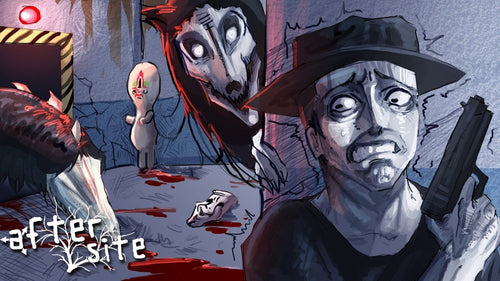
Ordinary Sandbox dropped into Roblox less than a month ago and it's already breaking brains across the community. The game is a Skill Builder sandbox inspired by Jujutsu Shenanigans — and at its core is a node-based system that lets you wire up completely custom attacks from nothing. The problem? Almost nobody explains what nodes actually are before diving headfirst into terms like "Hitbox," "Branch Finisher," and "Projectile Tag." This guide covers every node type in Ordinary Sandbox, how to reach the CreatorPlace where the building happens, and how to start chaining nodes together without wanting to rage-quit before your first skill is done.
⚡ Quick Answer
Nodes are the building blocks of custom skills in Ordinary Sandbox. Access the CreatorPlace via private server, open the Skill Builder, then chain node types — Hitbox, Projectile, Tag, Grab, Counter, State, and Meter — in sequence to create fully custom attacks, combos, and effects.
What Is Ordinary Sandbox, and Why Does It Use Nodes?
Ordinary Sandbox is a Roblox game by Ordinary Franchise — a free-play sandbox experience where the whole point is building your own skills from the ground up. It launched in early access in November 2026 (join the Ordinary Franchise Roblox group to get in) and already received its first major Overhaul Update just one week in. The game openly draws inspiration from Jujutsu Shenanigans' Skill Builder, so if you've spent time in JJS you'll recognize the DNA immediately.
The node system is what separates Ordinary Sandbox from just another Roblox fighter. Instead of selecting pre-made moves, you're designing exactly how an attack behaves — what it hits, how far it travels, what conditions have to be met before it fires. Each "node" handles one part of that logic. Stack them on a timeline and you have a skill.
How to Access the CreatorPlace in Ordinary Sandbox
All node editing happens inside the CreatorPlace — the game's dedicated building environment. It's not in the main lobby. Here's the exact path to get there:
- Join the Ordinary Franchise Roblox group — required for early access. Without this, the game won't let you in at all.
- Launch a private server — the CreatorPlace is only accessible from a private server, not public lobbies. Set one up from the game's server browser before you load in.
- Find the CreatorPlace entrance on the map — once inside your private server, locate the CreatorPlace portal in the game world. Walk through it to enter the building environment.
- Open the Skill Builder interface — the Skill Builder panel becomes available once you're inside the CreatorPlace. This is where all your nodes live.
- Create a skill slot and name it — set an Input ID and a Display Name for your skill before adding any nodes. Without this, you can't test it in-game.
⚠️ Important: Some node changes won't appear until you save and reload the skill. If something looks broken during testing, return to the CreatorPlace, re-check whether your edits actually saved, and re-equip the skill slot before testing again.

Every Node Type in Ordinary Sandbox, Explained
As of the November 2026 Overhaul Update, there are seven core node types in the Ordinary Sandbox Skill Builder. Here's what each one does and when you'd actually reach for it.
1. Hitbox Node — Your Basic Damage Zone
The Hitbox node creates a damage region around your character. It's the invisible box that decides whether an attack connected. Every offensive skill chain starts here.
- Size (X/Y/Z) — physical dimensions of the damage zone. Bigger isn't always better; an oversized hitbox is easier to read and punish.
- Damage — raw damage value dealt on contact.
- Stun Animation — which animation the enemy plays on hit. Matching this to your visual effects sells the impact.
- Branch Finisher — which branch runs after this hitbox connects. This is how follow-up hits are chained.
- Blockable — toggle whether the opponent can block this hit.
💡 Pro Tip: Use negative debris values on the Hitbox node to automatically clean up lingering visual effects after the hit resolves. Without this, particle effects can float around long after the attack ends and make your skill look unpolished.
You might also like


2. Projectile Node — Send It Flying
The Projectile node converts a Hitbox into a traveling damage object fired away from your character. It hits whatever it reaches first.
- Speed — travel velocity. Setting this to 0 creates a stationary hitbox placed directly in front of you instead of a traveling one.
- Time — how long the projectile exists before despawning.
- Continue — whether skill execution continues immediately after firing, or pauses until the projectile connects with something.
- Branch Collided — the branch that triggers when the projectile hits a target.
- Projectile Tag — links visual effect blocks to the moving projectile so effects travel with it rather than staying stuck at the launch point.
3. Tag Node — The Logic Brain
The Tag node is a variable tracker. It doesn't deal damage on its own — it checks and modifies a counter value that other nodes can branch off of. This is what turns a basic attack chain into something actually interesting.
- Add/Remove — increments or decrements the tag's value.
- Check — pauses skill execution until the tag value meets the specified condition. The core of conditional branching.
- Set — resets the tag to a specific number. Always reset at the end of a combo or the counter bleeds into the skill's next activation.
Basic Tag workflow: Tag (Add) → Wait → Tag (Check) → Branch with conditional effect → Tag (Set to 0 to reset).
4. Grab Node — Lock and Throw
The Grab node physically attaches an opponent to your character for a hold, slam, or throw sequence. It's the foundation for any true grapple move.
Key settings: Limb (your attachment point), Target Limb (the opponent's body part being grabbed), Position/Rotation offset, Time (hold duration), and Last Hit (what triggers at the end of the grab). Chain a Hitbox or Projectile node into the Last Hit branch for the release damage.
5. Counter Node — Punish Incoming Attacks
The Counter node activates specifically when your character takes a hit while a skill is running. Building a parry? A reversal? A "you really shouldn't have done that" moment? This node handles it.
Place it in a branch, assign your counter response branch name, and the Counter node reroutes the entire skill execution the moment an incoming attack registers. Pair it with a Rush Skill at Speed 0 and an animation block for clean visual feedback on the counter window.
6. State Node — Apply Temporary Conditions
The State node puts your character (or the target) into a temporary game state for a set duration. Options include:
- Iframe — invincibility frames. Use during startup animations so your skill can't be interrupted at the most vulnerable point.
- NoM1 — disables basic attacks for the duration, locking the opponent into a pure defensive position.
- Direction Lock — prevents movement direction changes mid-skill.
- Stun — freezes the target outright.
Enable Cancel on End if the skill should auto-cancel when the state expires — useful for moves designed around tight timing windows.
7. Meter Node — The Newest Addition
Added with the first Ordinary Sandbox update, the Meter node generates a visible charging gauge on-screen tied to the skill. Use it to build charged-attack mechanics, telegraphed power moves, or high-drama visual indicators that make your custom skill look genuinely cinematic rather than just functional.
📊 Key Stat: The first Ordinary Sandbox Overhaul Update showcase — which introduced Meter, Mesh Animations, and custom lighting — racked up over 14,000 views within 7 days of going live, making it one of the most-watched pieces of Ordinary Sandbox content in the game's short history.
How to Chain Nodes: Building Your First Actual Skill
Nodes execute in sequence — top to bottom, left to right on the Skill Builder timeline. Each branch is a separate chain of execution. Here's the simplest 3-node skill to understand the structure before you go feral with eight branches and seventeen conditions:
- State Node (Iframe): Open with a brief invincibility window. This protects the startup animation from being punished.
- Hitbox Node: The main strike. Set size, damage, and set Branch Finisher to point to a branch called "b_follow".
- Projectile Node in branch "b_follow": On landing the hit, fire a follow-up projectile. Speed 60, Time 1.5 seconds, Branch Collided pointing to your ending animation branch.
That's a complete skill with startup safety, a melee hit, and a ranged follow-up — three nodes. From here you layer in Grab for throws, Tag for conditional combo unlocks, and Counter for parry responses. Each new node you add teaches you more about how the branches connect than any chart ever could.
You might also like

💡 Pro Tip: Always enable "Replace Skill If Occupied" in your skill's Properties panel. Without it, pressing the skill button while it's already executing does absolutely nothing — which hands your opponent a free punish window every time you mistime a re-activation.
My First Skill Was a Total Disaster — and That Was Fine
When I first dropped into the Ordinary Sandbox CreatorPlace, I spent an embarrassingly long time just staring at the Skill Builder without touching anything. The panel looks complex in isolation. But the moment I added a single Hitbox node and tested it — watched my character actually punch something with the exact timing I programmed — something clicked. The node system isn't some intimidating dev tool. It's a puzzle game wearing a fighting game's clothes.
My first real skill was a mess: three consecutive Hitbox nodes with no branches, no State protection, and an accidentally zero-damage Projectile I forgot to configure. It looked broken because it was broken. Going back in to debug each node individually taught me more about how execution flows through the branches than any tutorial did. If you're just starting out, I'd genuinely recommend building something you know won't work on the first try. Break it deliberately, then fix it. That's how the system actually clicks.
"These days are really ordinary huh?... say that again?"
Node Types at a Glance: Quick Reference Table
| Node Type | What It Does | Best Used For |
|---|---|---|
| Hitbox | Creates a melee damage zone on your character | Punches, slashes, AoE attacks |
| Projectile | Fires a traveling damage object | Ranged attacks, follow-up shots |
| Tag | Tracks and checks variable values | Combo counters, conditional branching |
| Grab | Locks opponent to your character's body | Throws, holds, combo setups |
| Counter | Triggers when you take a hit mid-skill | Parries, reversals, counter-attacks |
| State | Applies a timed condition to character or target | Iframes, stuns, movement locks |
| Meter | Displays a visible charging gauge on-screen | Charged moves, power telegraphing |
Frequently Asked Questions
What are nodes in Ordinary Sandbox?
Nodes are the individual functional components inside Ordinary Sandbox's Skill Builder. Each node handles one behavior — dealing damage, firing a projectile, tracking a condition, or applying a status. Chain multiple nodes together on a timeline to create a fully custom attack or combo. They're the fundamental logic units everything in the Skill Builder is made of.
How do you access the CreatorPlace in Ordinary Sandbox?
The CreatorPlace is only reachable through a private server — not the public lobby. First, join the Ordinary Franchise Roblox group to unlock early access. Then start or join a private server, find the CreatorPlace entrance on the game's map, walk through it, and the Skill Builder interface where all node editing happens will open up.
What is the difference between a Hitbox node and a Projectile node?
A Hitbox node creates a stationary damage zone centered on your character — it hits what's in the immediate area around you. A Projectile node fires a traveling damage object away from your character to hit targets at a distance. Setting a Projectile node's Speed to zero turns it into a stationary hitbox placed directly in front of you, which is a useful hybrid technique.
How does the Tag node work in Ordinary Sandbox?
The Tag node acts as a variable counter. Use Add/Remove to increment or decrement its value, Check to pause skill execution until a condition is met, and Set to reset the counter. It's most useful for combo counters that unlock bonus hits after landing a set number of attacks, or for creating branching moves that behave differently based on how many times they've been used.
Can you use Ordinary Sandbox and build skills on mobile?
Ordinary Sandbox officially supports all devices including mobile. That said, the Skill Builder node interface works significantly better on PC due to the amount of clicking, parameter adjusting, and branch navigation involved. Mobile players can use pre-built custom skills in combat but will likely find the full node editing experience frustrating on a small touchscreen.
Start Simple. Then Go Completely Stupid With It.
Ordinary Sandbox's node system looks intimidating until you realize it's just a stack of "if this, then that" logic with a Roblox fighting game on top. Start with a Hitbox node and a basic animation. Get that working. Add one Projectile. Then try a Tag node for a hit counter. Each layer you add makes the whole system clearer, not more confusing.
The game is brand new, the meta hasn't settled, and nobody's cracked the optimal node stacks yet. That's the actual fun part — the whole sandbox is wide open. Go make something the Skill Builder was never designed to do. That's exactly what it's there for.